3D Wax Seal GLB
When your seal is ready, click Download 3D GLB in the studio header. The file is a complete 3D model with physical relief and wax borders, not a flat image on a disc.

Physical geometry and tactile realism
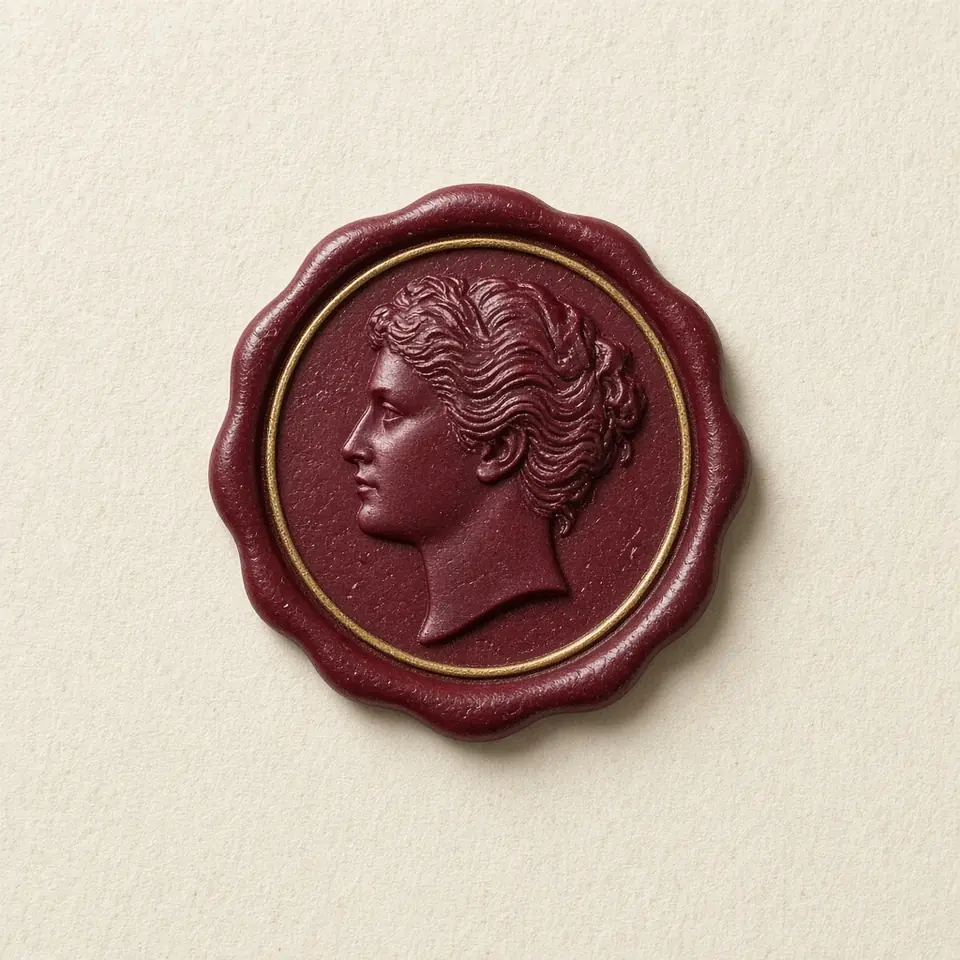
The exported GLB is a watertight 3D model featuring authentic physical displacement and micro-relief geometry, rather than a flat texture mapped onto a disc, faithfully capturing text, motifs, and photo contours.
Organic edge spreading and realistic bevel contours capture the physical spread of hot wax under seal pressure, producing natural highlights and ambient occlusion in any 3D lighting environment.

CGI workflows and fabrication
Universal GLB assets import seamlessly into Blender, Cinema 4D, Maya, Unreal Engine, or Three.js pipelines, perfect for luxury packaging renders, digital collectibles, and interactive 3D web experiences.
Send the watertight mesh directly into slicer software for SLA resin 3D printing to create physical stamping dies, or export transparent PNG images up to 3072 pixels for accompanying 2D design collateral.
3D printing and physical die fabrication
Using stereolithography (SLA/DLP) resin 3D printers, you can fabricate the exported GLB model with 0.025mm to 0.05mm layer precision, capturing every minute typographic flourish and surface contour.
Fabricated resin masters can be used to produce vulcanized silicone molds for lost-wax investment casting, transforming your digital model into an authentic solid brass or bronze seal die.
Beyond physical making, the model functions seamlessly across real-time web 3D viewports, game engines, and packaging CGI renders, serving as an all-in-one digital asset.
Export a 3D wax seal GLB
- Construct 3D relief
Compose typography, pick heraldic motifs, or upload custom imagery, tuning depth and rim thickness.
- Configure wax material
Select an authentic wax shade and toggle satin, gloss, or pearl finishes to define realistic reflections.
- Inspect in 3D viewport
Rotate the seal 360 degrees to verify edge bevels, displacement shadows, and organic spread from all angles.
- Export production model
Click Download 3D GLB in the studio header to export the watertight 3D mesh file ready for CGI or 3D printing.
Questions
- Is the exported GLB a true displacement mesh or just a normal map?
- The exported GLB is a watertight 3D solid mesh with true geometric height, recessed depths, and flowing rim contours—not a flat disc with optical illusion shader maps.
- How do I import and shade the GLB model in Blender?
- Drag the GLB directly into Blender or choose File > Import > glTF 2.0. The mesh imports with PBR material nodes ready for Subsurface Scattering (SSS) fine-tuning in Cycles or Eevee.
- What slicing settings are recommended for 3D printing?
- Angle the model 45 to 60 degrees relative to the build plate, placing supports exclusively on the rear mounting face to keep the decorative relief pristine, and use high-toughness resin.
- Can the model be used for CNC metal engraving?
- Yes. Modern CAM software imports mesh geometry to generate fine ball-nose milling toolpaths, or you can convert the mesh into solid surfaces in Rhino or Fusion 360 for CNC machining.
- Are photo relief details preserved with high fidelity in the 3D model?
- Yes. The algorithm translates high-frequency grayscale image data into geometric vertex displacement, capturing delicate facial contours and texture details faithfully in the 3D mesh.